

Overview
CrowdStrike Falcon can contribute normalized endpoint detections, malware findings, host context, and incident activity. Reviewed examples include:detection.confirmed— detection confirmedmalware.detected— endpoint malware detectionsincident.opened— incident opened
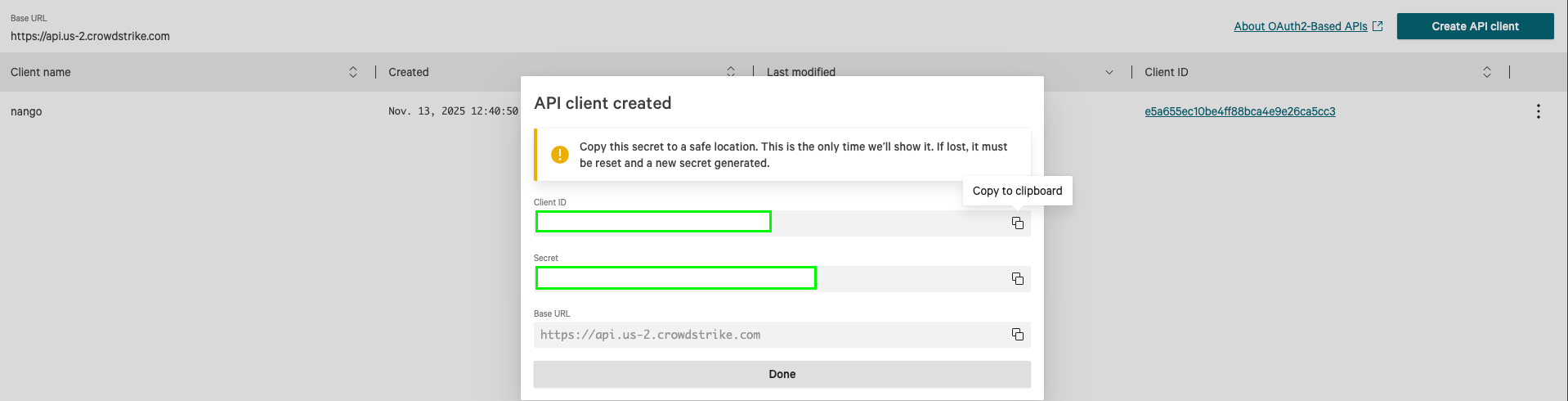
- Client ID - A unique identifier for your API client.
- Client Secret - A confidential key used to authenticate the identity of the application (client).
- Base URL - The API base URL for your CrowdStrike cloud environment.
Prerequisites:
- You must have access to the CrowdStrike Falcon console.
Instructions:
Step 1: Creating an API Client
- Log in to your CrowdStrike Falcon console.
- From the search toolbar, search for API Clients and Keys and select it.
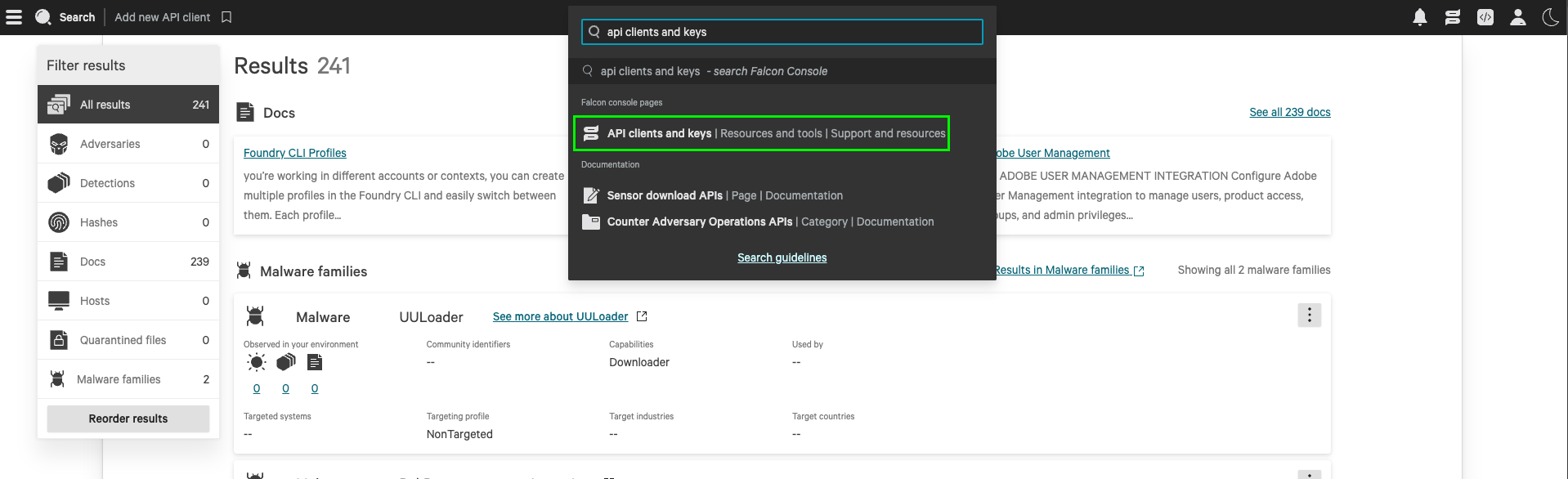
- Click on Create API Client.
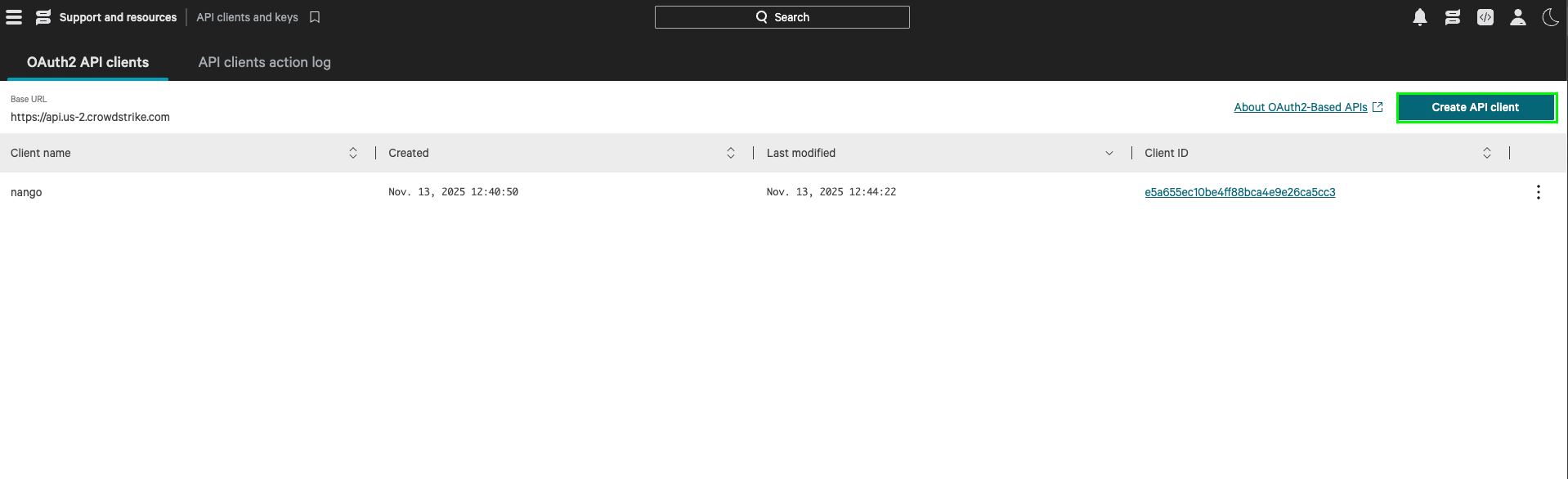
- Enter a Name and Description, select Alerts: Read and Hosts: Read scopes, and then click Create.
- Your Client ID, Client Secret, and Base URL will be displayed for you. The Base URL is the domain portion (e.g.,
api.crowdstrike.com) without thehttps://prefix.
Step 2: Enter credentials in the Living Security Platform
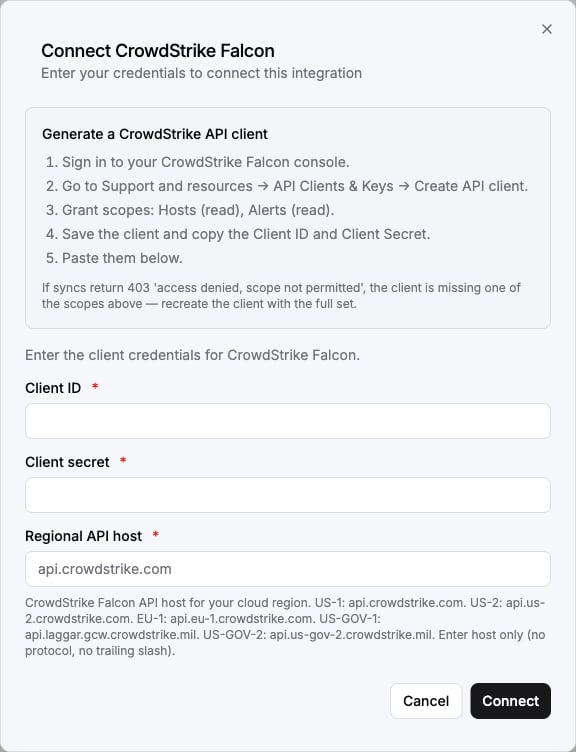
Once you have your Client ID, Client Secret, and Base URL:- Open the form where you need to authenticate with CrowdStrike.
- Enter your Base URL, Client ID, and Client Secret in their respective fields.
- Submit the form, and you should be successfully authenticated.
Portions of this documentation are adapted from Nango, used under the Elastic License 2.0.