

Security Made Simple
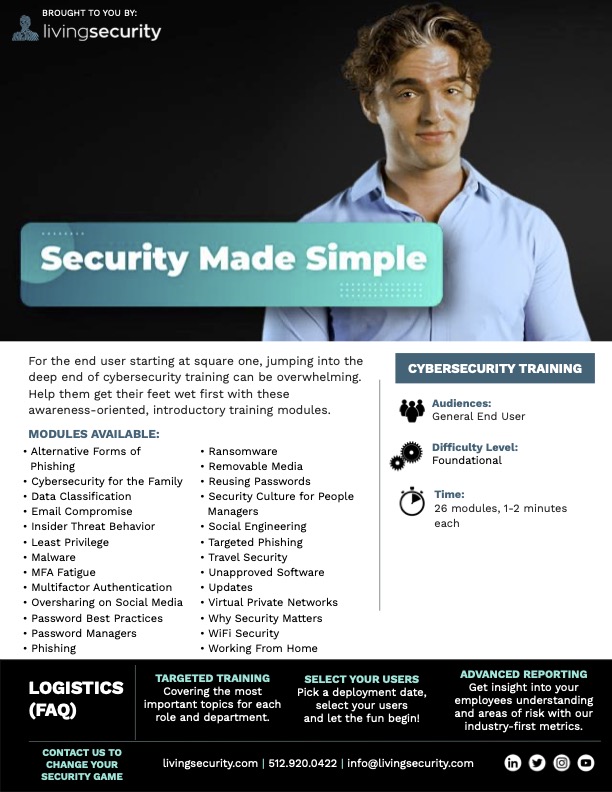 Audience: General End User (All)
Difficulty Level: Foundational
**Time:**26 modules, ≈1-2 minutes each
Availability: Available on Training as Independent Modules. Do not need to be assigned or watched together, designed to stand independently. Modules:
- Alternative Forms of Phishing (1:15 Video)
- Cybersecurity for the Family (1:07 Video)
- Data Classification (1:29 Video)
- Email Compromise (1:13 Video)
- Insider Threat Behavior (1:08 Video)
- Least Privilege (0:57 Video)
- Malware (1:27 Video)
- MFA Fatigue (1:05 Video)
- Multifactor Authentication (MFA) (1:01 Video)
- Oversharing on Social Media (1:01 Video)
- Password Best Practices (1:15 Video)
- Password Managers (0:59 Video)
- Phishing (1:01 Video)
- Ransomware (1:16 Video)
- Removable Media (0:53 Video)
- Reusing Passwords (1:08 Video)
- Security Culture for People Managers (1:13 Video)
- Social Engineering (1:12 Video)
- Targeted Phishing (0:56 Video)
- Travel Security (1:04 Video)
- Unapproved Software (1:05 Video)
- Updates (1:03 Video)
- Virtual Private Networks (0:59 Video)
- Why Security Matters (1:16 Video)
- WiFi Security (1:17 Video)
- Working from Home (1:10 Video)
Trailer Watch the trailer Marketing Materials:Security Made Simple Marketing Kit
Major Themes: These quick, digestible awareness modules will introduce your end users to the basics of key cybersecurity concepts. Major Learning Concepts:
-
Alternative Forms of Phishing
- Types of phishing besides email phishing (smishing, vishing, angler phishing, search engine phishing, pop-up phishing)
- Staying safe from alternative forms of phishing
- Reporting suspicious messages to the security team
-
Cybersecurity for the Family
- Importance of teaching children cybersecurity best practices
- Parental control apps and monitoring childrens’ online activity
- Basic best practices children should know
-
Data Classification
- Sorting data into public and private categories
- Importance of classifying data
- Double-checking sharing settings of private data stored in the cloud
-
Email Compromise
- Use of a compromised business or vendor email to launch phishing attacks
- Red flags to look out for
- Reporting suspicious messages
-
Insider Threat Behavior
- Definition of accidental and malicious insider threats
- Many insider threats occur because working too fast or taking shortcuts cause people to neglect security policies
- Early warning signs of insider threats that can be report to prevent data breaches
-
Least Privilege
- Definition of principle of least privilege
- Limiting and revoking access
- Benefits to following the principle of least privilege
-
Malware
- How devices become infected with malware
- What cybercriminals use malware for
- How updating software and devices helps prevent malware infections
-
MFA Fatigue
- Definition of MFA fatigue attacks
- Social engineering used in conjunction with MFA fatigue attacks
- Reporting suspicious login attempts to the security team
-
Multifactor Authentication (MFA)
- Definition of multi-factor authentication
- Examples of secondary authentication
- Buying and selling of compromised passwords on the dark web
-
Oversharing on Social Media
- Use of information found on social media for synthetic identity theft
- Examples of information that are risky to post on social media
- Use of personal information to phish friends and family of the user
-
Password Best Practices
- Using long passwords with numbers and letters to thwart password cracking software
- Online tools that can demonstrate difference of effectiveness between short and long passwords
- Importance of having a unique password for every account
-
Password Managers
- Importance of using unique passwords on each account
- Benefits of using a password manager
- Risks of writing down passwords
-
Phishing
- Definition of phishing
- Red flags to look for in messages
- Reporting suspicious messages to the security team
-
Ransomware
- Growing prevalence of ransomware
- How ransomware infections occur
- Backing up data so it can be restored during a ransomware attack
-
Removable Media
- Removable media shipped from the seller preloaded with malware
- Risks of removable media found in random places like a parking lot
- Importance of following policies surrounding removable media
-
Reusing Passwords
- Buying and selling of compromised passwords on the dark web
- Importance of using a unique password for every account
- Using password managers to store passwords
-
Security Culture for People Managers
- Working as a team to protect data
- Examples of integrating data privacy into small, everyday actions
- Leading by example
-
Social Engineering
- What social engineering is used for
- Staying safe from social engineering
- What to do if a social engineer tricks you
-
Targeted Phishing
- Definitions of spearphishing and whaling
- Tactics used in targeted phishing attacks
- Avoiding unexpected links and attachments
-
Travel Security
- Connecting to a personal hotspot instead of public wifi
- Avoiding public USB ports
- Keeping devices in sight at all times
-
Unapproved Software
- Definition of shadow IT
- Risks of downloading software that hasn’t been preapproved by IT
- Spreading of malware from an infected device to others on the network
-
Updates
- How updating devices and software reduces vulnerabilities
- Why updates need to be installed timely
- Risks of leaving device and software updates uninstalled
-
Virtual Private Networks
- Use of public wifi to spy on user’s online activity
- How VPNs work
- Benefits of using a VPN
-
Why Security Matters
- Risk involved handling sensitive data and using internet-connected devices
- Consequences of security incidents in personal life and at work
- Message of appreciation for helping keep the user’s organization safe
-
WiFi Security
- Risks of connecting to public wifi
- Alternative options for connecting to the internet on-the-go
- Importance of keeping a strong password on home wifi
-
Working From Home
- Securing home wifi with a strong, unique password
- Why work shouldn’t be done on personal devices
- Following organizational removable media policies