

What Living Security needs
Scopes:
read:users read:logs on the Auth0 Management API — read:users backs the users sync (/api/v2/users) and read:logs backs the log-events sync (/api/v2/logs).
Required role: Admin or Owner in Auth0 (to create applications and manage API permissions)
Prerequisites
- You must have Admin or Owner access in your Auth0 tenant to create Machine-to-Machine applications and manage API permissions.
Part A — In Auth0
Your Auth0 administrator completes these steps.1
Create a Machine-to-Machine application
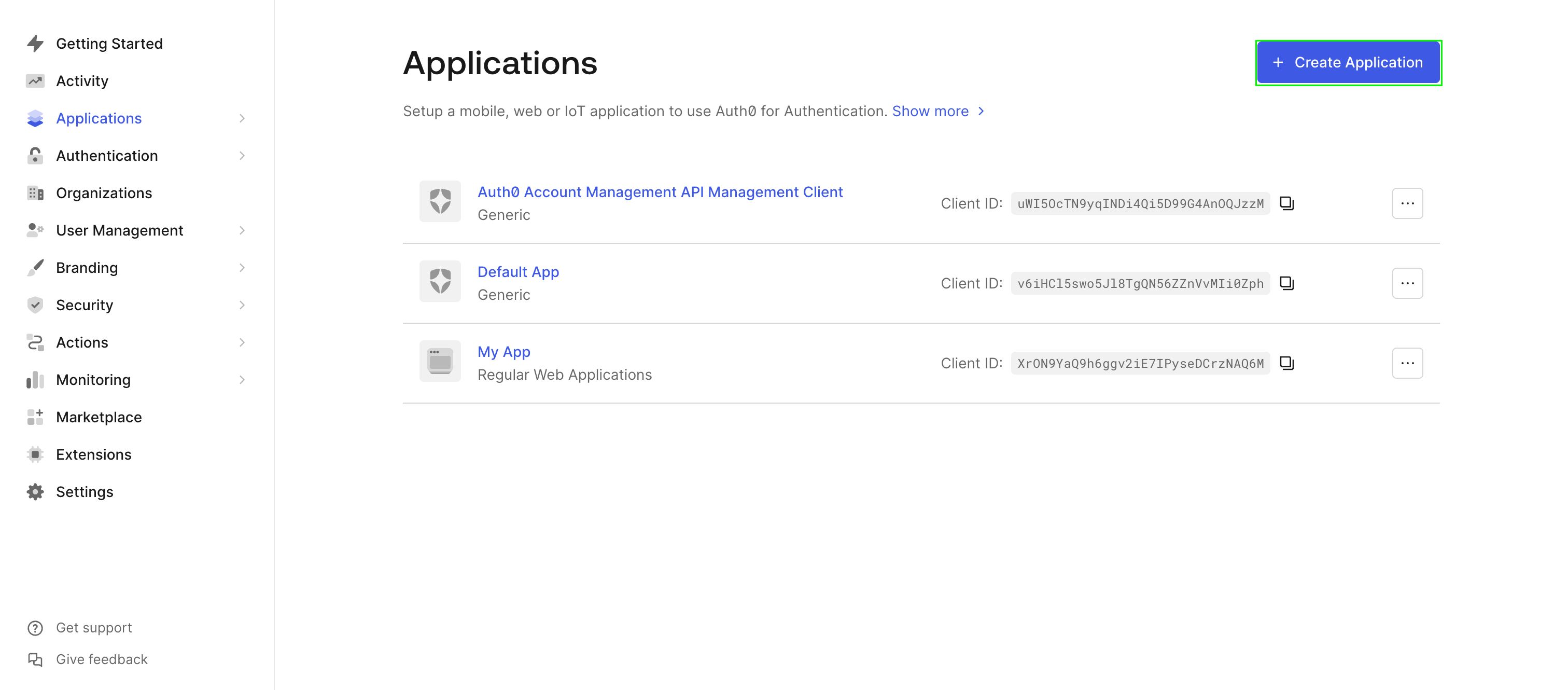
- Log in to your Auth0 Dashboard.
- Navigate to Applications → Applications.
- Click Create Application.
- Enter a unique name for your application (e.g.,
Living Security Platform). - Select Machine to Machine Applications as the application type.
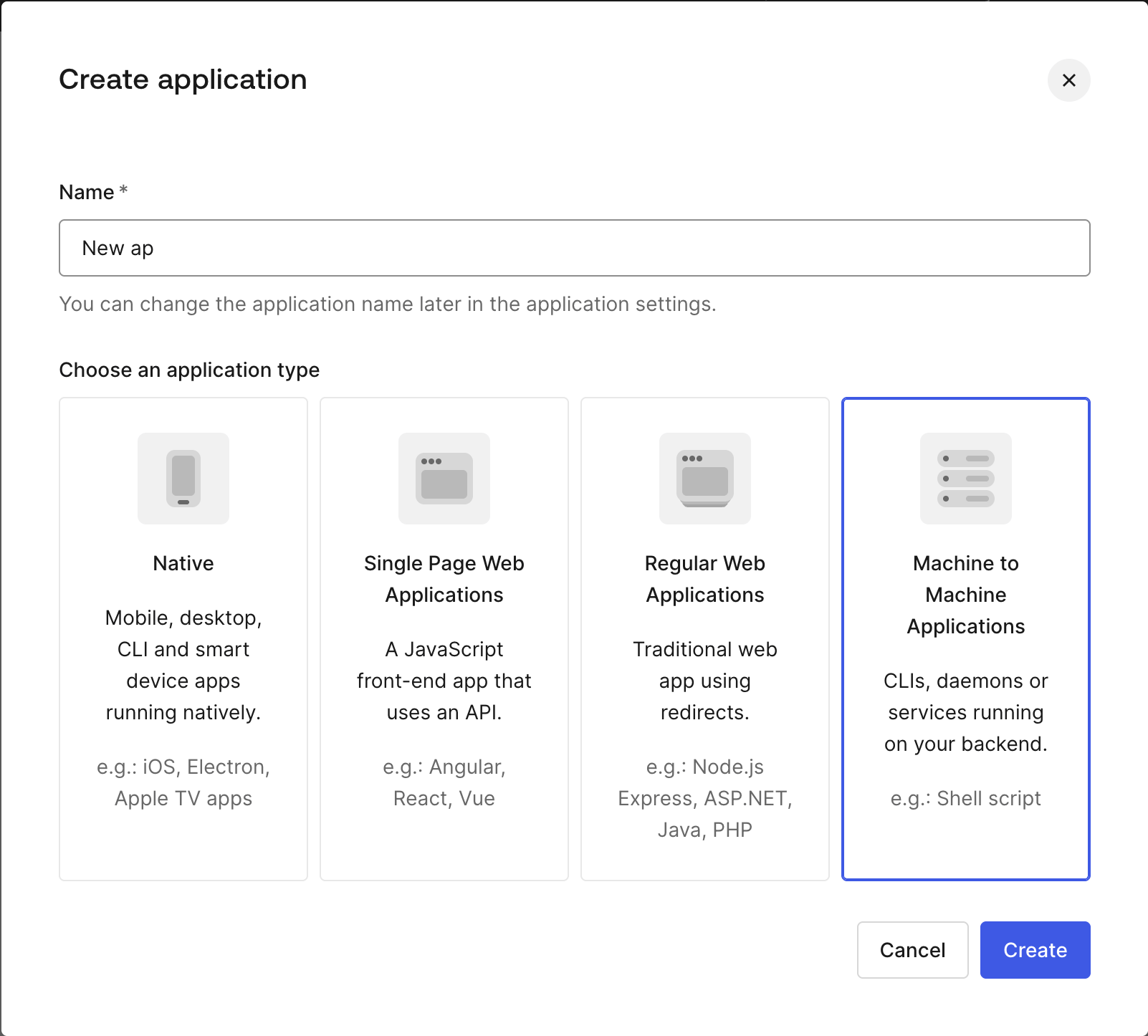
- Click Create.
2
Authorize the API and select permissions
- From the dropdown menu, choose the Auth0 Management API.
- Select the Permissions
read:usersandread:logs.
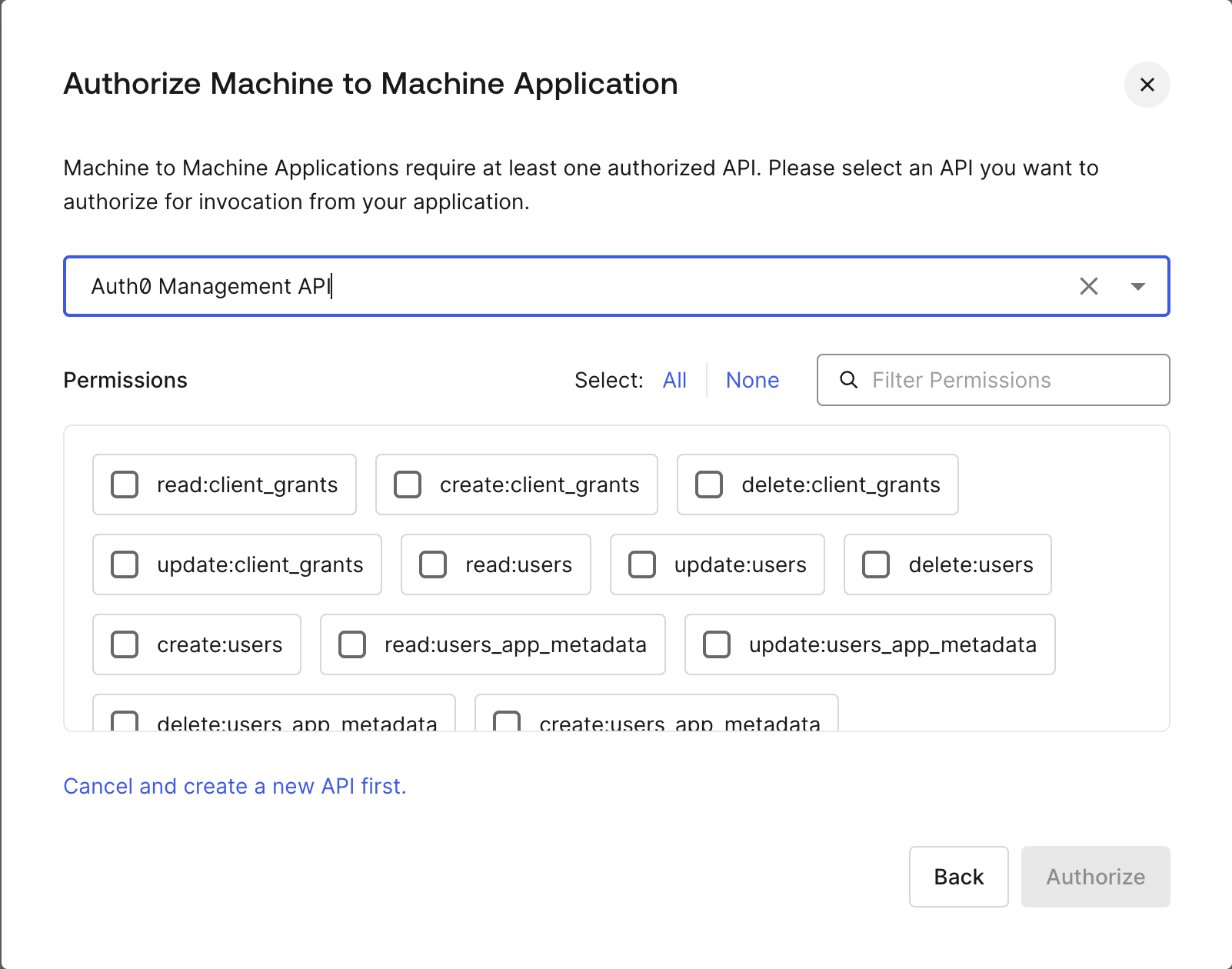
- Click Authorize to complete the application setup.
3
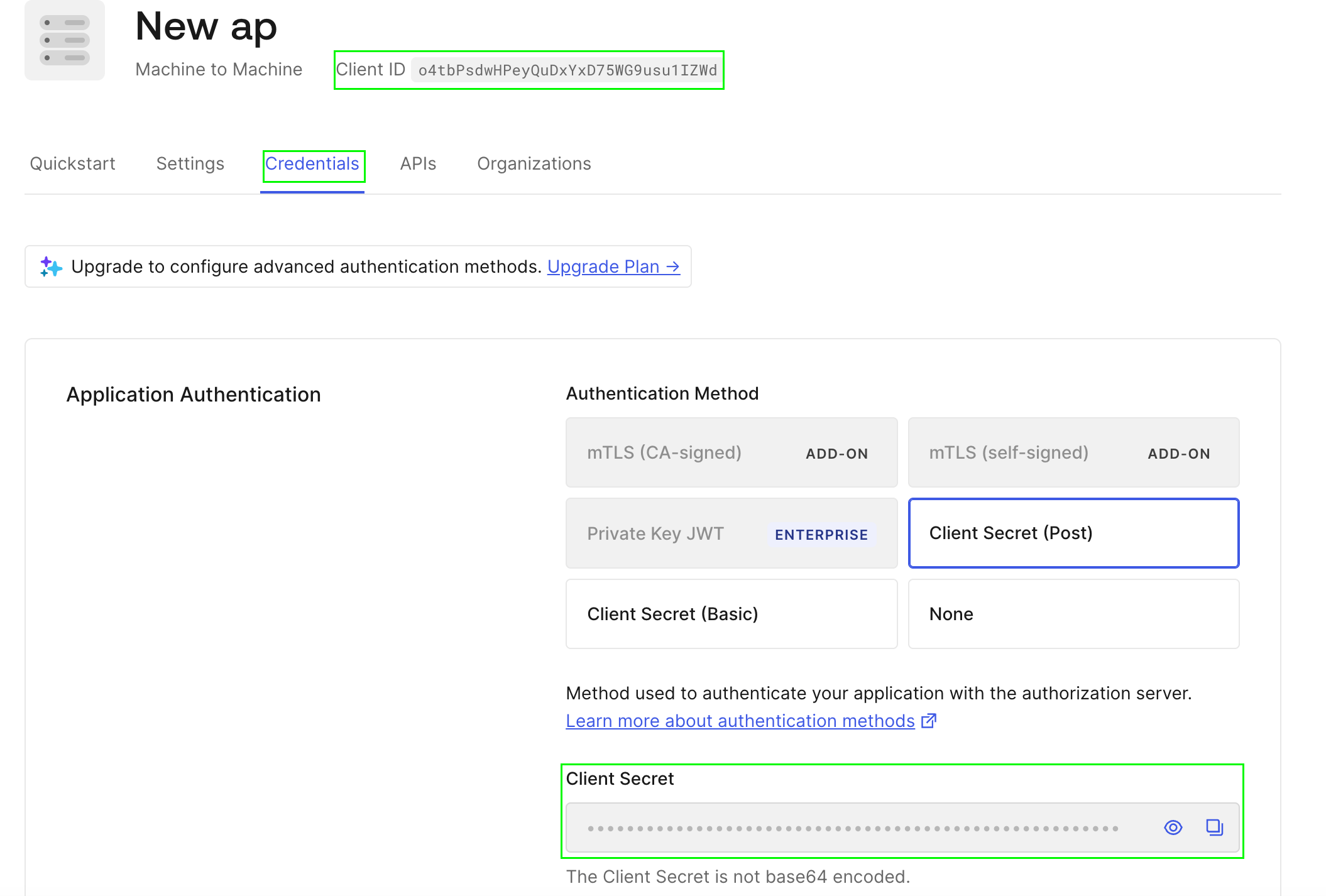
Copy the Client ID and Client Secret
- On the application page, navigate to the Settings tab.
- Find your Client ID at the top of the page.
- Scroll to the Credentials section to find your Client Secret.
4
Find your HostName
From the Quickstart tab of your application, Auth0 provides an example token request. Your HostName is the domain that appears after 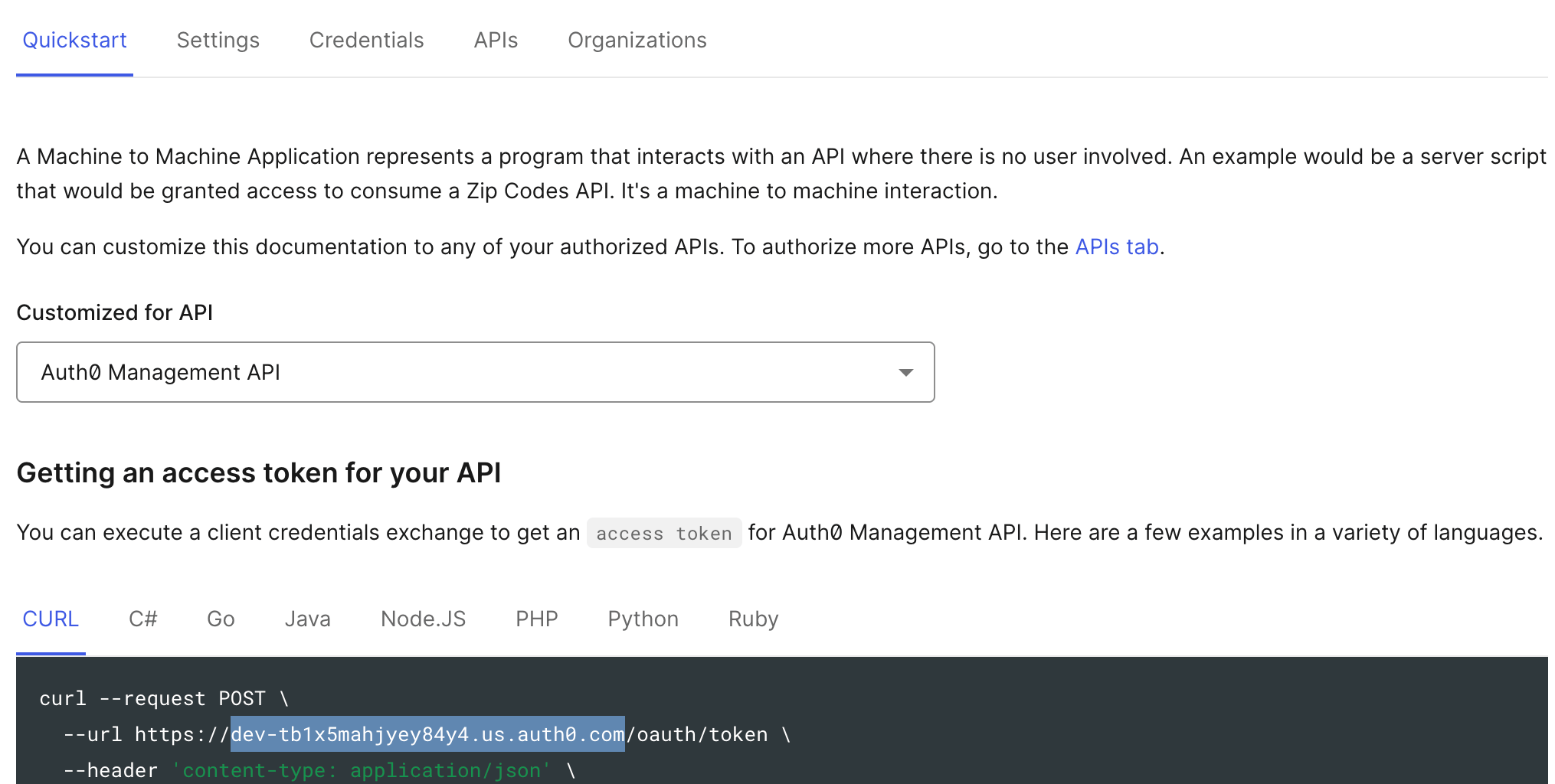
https:// and before /oauth/token.For example, in https://dev-tb1x5mahjyey84y4.us.auth0.com/oauth/token, the HostName is dev-tb1x5mahjyey84y4.us.auth0.com.5
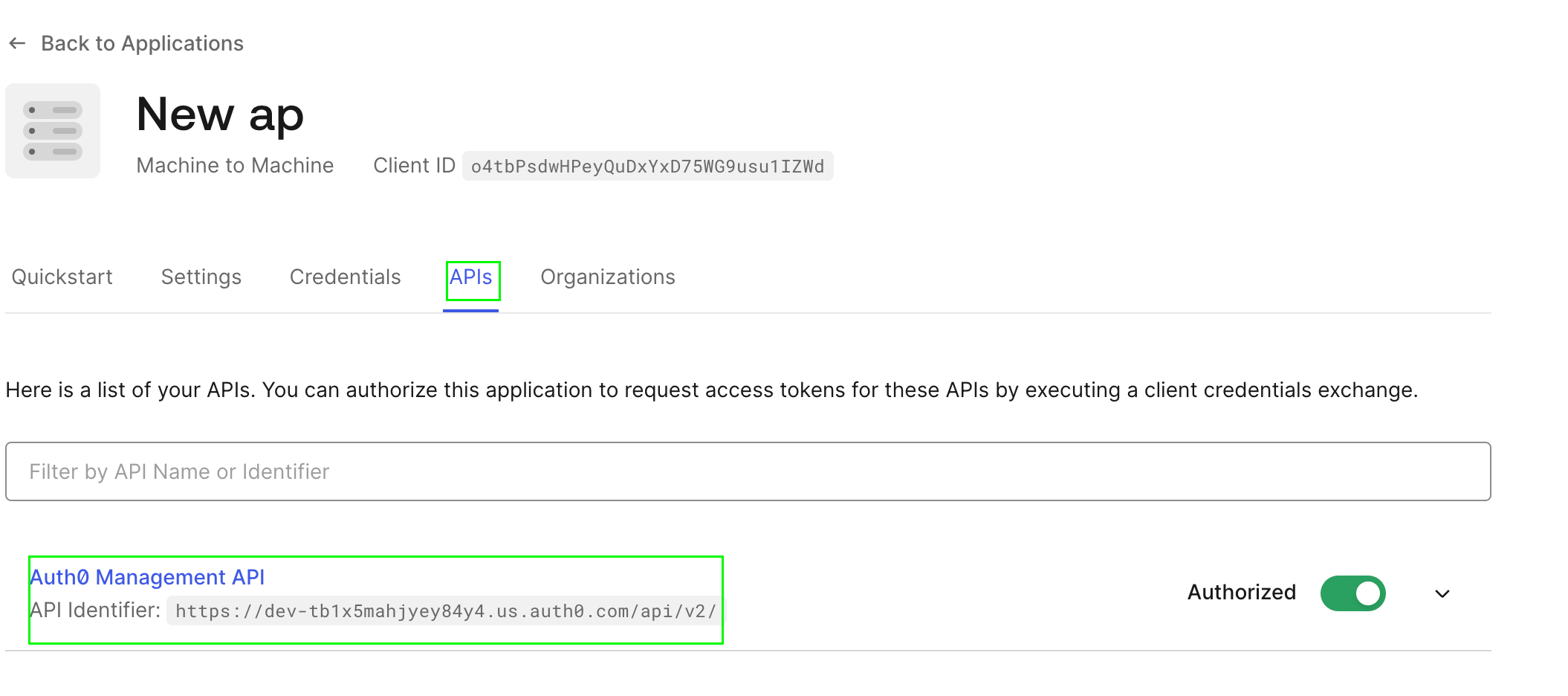
Find your Audience
- Navigate to Applications → APIs in the Auth0 Dashboard.
- Find the API you authorized in Step 2.
- The Identifier field contains your Audience value.
6
Find your Organization (optional)
If your tenant uses Auth0 Organizations:
- Navigate to Organizations in the Auth0 Dashboard.
- Find the organization name or ID you want the integration to be associated with.
This field is optional. Only provide it if your tenant is configured to use Auth0 Organizations and you want to scope the integration to a specific organization.
Part B — In the Living Security Platform
The program owner completes this step, or the system admin if using delegated setup.1
Troubleshooting
403 Forbidden
403 Forbidden
The application is missing required permissions. Verify that:
- The application is authorized for the correct API
- The
read:usersandread:logspermissions are granted - The Audience value matches the API identifier
Invalid audience
Invalid audience
The Audience value does not match any API configured in your Auth0 tenant. Verify the API identifier in Applications → APIs.
Portions of this documentation are adapted from Nango, used under the Elastic License 2.0.